RDQ Quest System
Build connected progression paths with 114 bundled quests, automatic gameplay objectives, persistent progress, configurable rewards, and per-player tracking.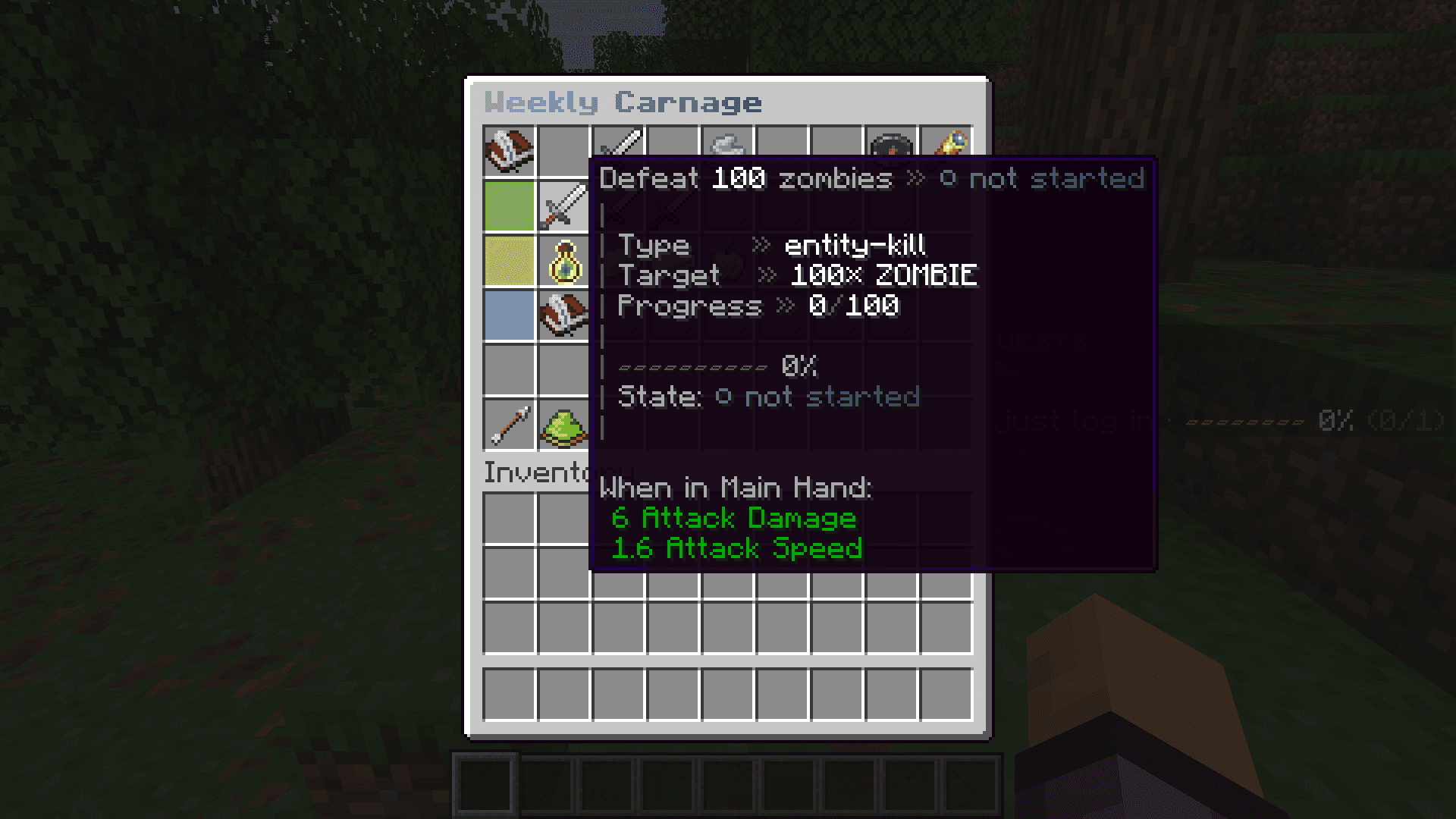
Available in both editions
RDQ Free and RDQ Premium use the same quest runtime and bundled definitions. Quest content loads from plugins/RDQ/quests/definitions/.Bundled Content
RDQ installs 114 bundled quest definitions containing 153 tasks across 12 categories. 18 bundled quests are repeatable. The bundled progression graph uses prerequisites to connect tutorials, professions, weekly goals, and master capstones.Challenge1 quests
Builder11 quests
Collector10 quests
Combat16 quests
Crafter10 quests
Daily9 quests
Farmer12 quests
Lumberjack8 quests
Master8 quests
Miner15 quests
Tutorial8 quests
Weekly6 quests
Player Flow
1
Open /quest or /q to see the quest dashboard, active quests, completed quests, and the category browser.2
Open a quest to review its difficulty, objectives, requirements, prerequisite chain, and rewards.3
Accept the quest from its detail view or with /quest accept <quest>. RDQ creates fresh task-progress rows.4
Play normally. Matching server events update every active quest and cap each task at its configured target.5
When every task is complete, RDQ completes the quest automatically, persists the result, and grants its quest-level reward.6
Track one active quest to publish its progress through the shared display system, or inspect progress in chat at any time.Objective Types
The built-in progression listener handles six objective types from ordinary gameplay events. Other definitions can require their optional plugin integration.block-breakAdds one for each matching block the player breaks. Use a Bukkit material name or any/*.block-placeAdds one for each matching block the player places. Use a Bukkit material name or any/*.entity-killAdds one when the player is the killer of a matching Bukkit entity type.item-craftCounts the number of result items produced, including the full result of a shift-click craft.item-pickupCounts the picked-up stack amount. Player-thrown items are ignored to prevent drop-and-pickup farming.player-joinAdds one for each player join event; the built-in listener does not deduplicate logins by calendar day.Quest YAML
Store each definition beneath a category directory. Identifiers must remain unique; category defaults to the containing directory when omitted. RDQ upserts definitions into its database whenever content loads.identifier: miner_first_diamonds
category: miner
displayName: "<gradient:#67e8f9:#2563eb>First Diamonds</gradient>"
difficulty: MEDIUM
repeatable: false
enabled: true
prerequisites: [tutorial_first_block]
icon: { material: DIAMOND_PICKAXE }
reward:
type: composite
children:
- { type: xp, amount: 250 }
- { type: currency, currency: coins, amount: 500 }
- { type: item, materialKey: DIAMOND, amount: 2, nbt: "{}" }
tasks:
- identifier: mine_diamonds
displayName: "<gray>Mine <white>8</white> diamond ore</gray>"
orderIndex: 0
objective: { type: block-break, material: DIAMOND_ORE, target: 8 }
- identifier: craft_pickaxe
displayName: "<gray>Craft a <white>diamond pickaxe</white></gray>"
orderIndex: 1
objective: { type: item-craft, material: DIAMOND_PICKAXE, target: 1 }repeatable: true when a completed quest should be accepted again.Requirements & Rewards
Aprerequisites list becomes one or more quest-completed requirements at load time. An explicit quest-level requirement can be combined with those prerequisites. Acceptance is blocked until the complete requirement evaluates successfully.When all tasks finish, RDQ completes the quest automatically and grants its quest-level reward. Composite and choice flows use the shared selection system when player input is needed.Tracking & Commands
Each player can select one tracked quest. The shared display provider renders that quest and its task progress, while the same progress remains available through chat commands./quest or /q/quest list [category]/quest info <quest>/quest accept <quest>/quest abandon <quest>/quest track [quest]/quest progress [quest]/quest sidebar [on|off]/quest board [on|off|hide]/rq quest [arguments…]Operations & Current Limits
Use /rq admin reload after editing quest YAML. One invalid file is logged and skipped without preventing other definitions from loading.
Files anywhere below quests/definitions/legacy/ remain available as examples but are deliberately skipped by the loader.
The built-in listener does not advance custom objective types. An external integration must own and dispatch that progress.
Repeatable quests enforce cooldownSeconds and maxCompletions when a completed attempt is accepted again. A timeLimitSeconds value stores an expiry timestamp, but the current quest service does not automatically expire active attempts.
Only quest-level rewards are granted by automatic completion. Do not rely on task-level reward blocks for payouts.